How to Choose the Best AI Software for Your Business
Dec 8, 2025
How to Choose the Best AI Software for Your Business in 2026
Choosing the right AI software in 2026 is no longer about finding "the smartest" tool, but about finding the one that integrates most seamlessly into your specific workflow. With the rise of Agentic AI—tools that don't just talk but actually perform tasks—the evaluation process has become more practical and results-oriented.
Here is a 5-step framework to help you choose the best AI software for your business.
1. Identify Your "High-Frequency Frustrations"
Avoid "AI for the sake of AI." Instead, audit your current operations and look for tasks that are high-volume, repetitive, and data-heavy.
Small Businesses: Look for "force multipliers." If you spend 10 hours a week on lead intake, an AI agent like Lindy or Zapier Central can automate those conversations.
Enterprises: Look for "bottlenecks." If your legal team is buried in contract reviews, a specialized tool like Claude 4.1 (known for long-context reasoning) might be the fit.
2. Evaluate the "Three Pillars" of AI Selection
When comparing software, use this checklist to move beyond marketing hype:
Factor | What to Look For | Red Flag |
Integration | Does it connect to your current CRM (Salesforce/HubSpot) or workspace (Slack/Teams)? | Requires you to manually copy-paste data between windows. |
Data Privacy | Is it SOC 2 Type II or GDPR compliant? Does it allow you to "opt-out" of training? | The vendor's policy is vague about whether your data is used to train their global models. |
Ease of Use | Can a non-technical manager set up a basic workflow in under 30 minutes? | Requires custom API coding or a dedicated data scientist to maintain. |
3. Choose the Right Category
In 2026, AI software generally falls into three buckets. Pick the one that matches your technical maturity:
Embedded AI: Features already inside tools you pay for (e.g., Microsoft 365 Copilot, Adobe Firefly, or Salesforce Einstein). Best for: Fast adoption with zero setup.
Horizontal Assistants: General-purpose powerhouses like ChatGPT 5.2, Google Gemini 3.0, or Claude. Best for: Research, coding, and creative drafting.
Vertical/Niche AI: Tools built for one specific job (e.g., HeyGen for video, Glean for internal search, or Cursor for software development). Best for: High-performance, specialized tasks.
4. Calculate the "Total Cost of Ownership" (TCO)
The sticker price is rarely the final cost. Factor in:
Token/Usage Fees: Does the price spike if you use it heavily?
Implementation Time: How many man-hours will it take to train the team?
Human-in-the-Loop: Does the AI's "hallucination rate" require a human to double-check every output? If so, factor in that labor cost.
5. Run a "90-Day Value Test"
Before signing an annual contract, run a pilot program with a small team.
Week 1-4: Focus on Adoption. Are people actually using it?
Week 5-8: Focus on Accuracy. Is the output getting better with feedback?
Week 9-12: Focus on ROI. Calculate the hours saved vs. the subscription cost. If the ROI isn't clear by day 90, pivot to a different tool.
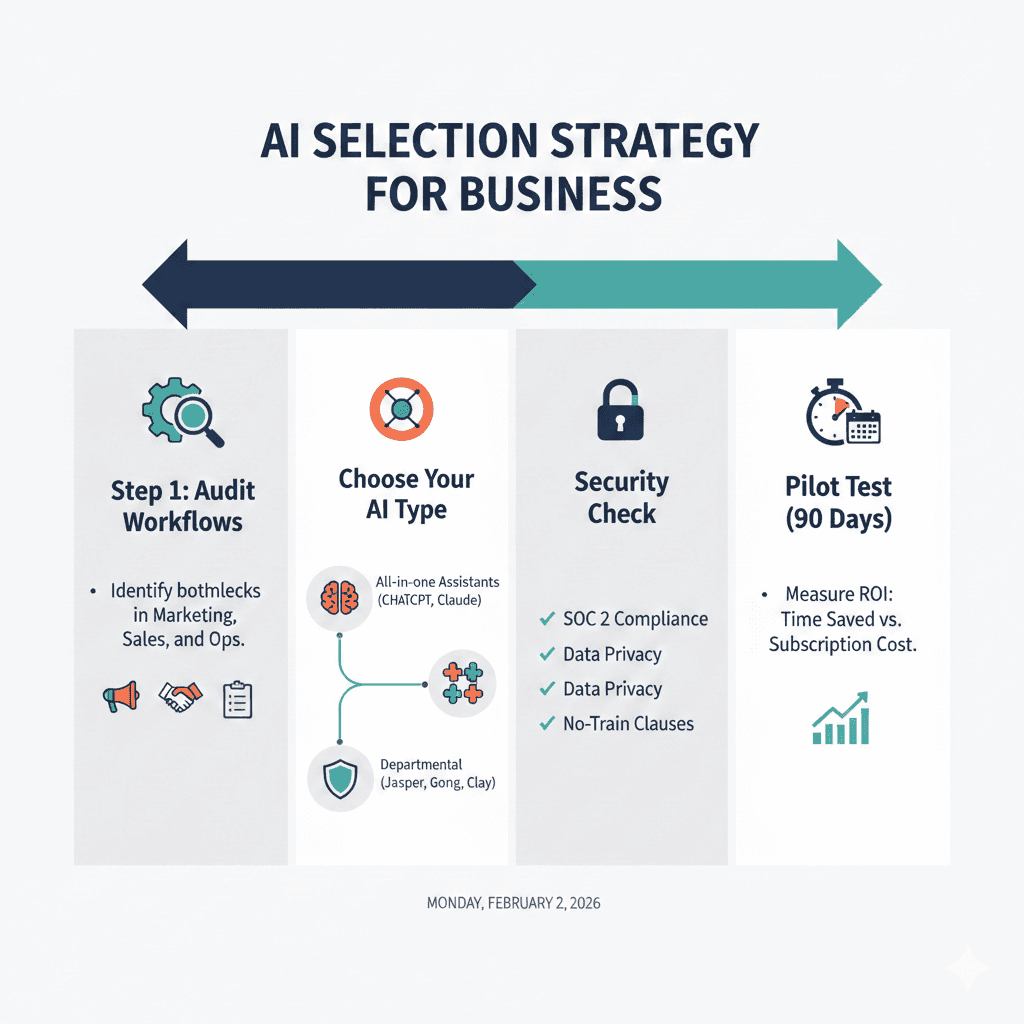
Infographic Summary: AI Selection Strategy
Here's a visual summary of the key steps to choosing the best AI software for your business: